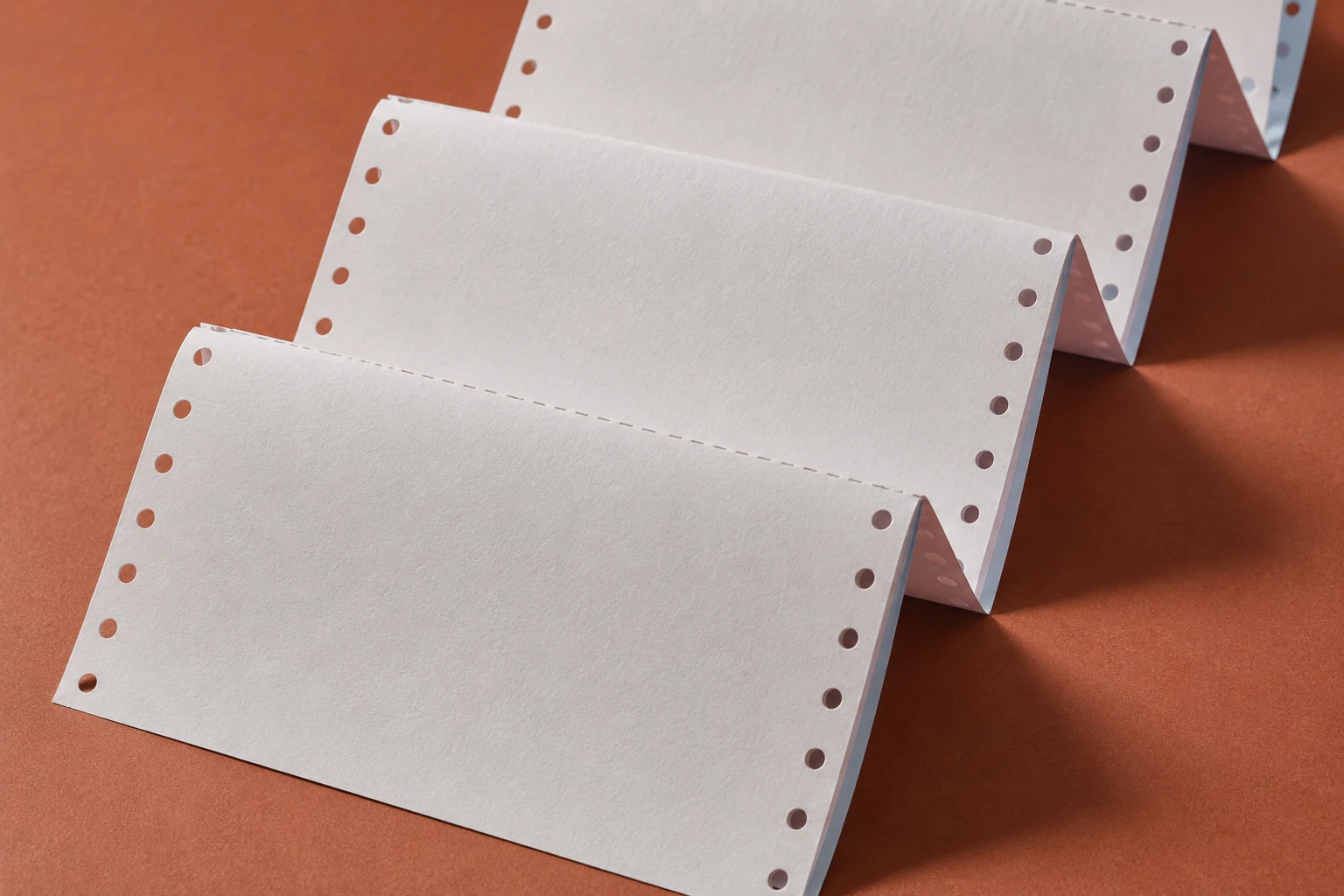
CXPAPER supplies continuous computer paper for dot-matrix printers, finance records and dispatch forms. Specify the one- to six-part format, tractor-feed dimensions, perforations and printed layout around the documents your business uses.
Keep the product range and the complete order specification distinct. Use the fields below when discussing a new order or reviewing a replacement.
Continuous computer paper is fanfold business-form paper fed through dot-matrix printers, typically using tractor-feed holes along the edges. CXPAPER's customer information covers one- to six-part formats, with dimensions, printing and the number of parts discussed for the order. Start with the dot-matrix printer and the completed document your teams need, then define width, page length, feed holes, perforations and any copy requirement. Finance, dispatch and warehouse forms may share a feeding format while requiring different layouts or sheet sequences. Keeping those details separate helps you review the complete form in use and avoids treating every multipart continuous product as the same construction.
Product range and recorded options
Range information
Product context
Intended printing direction
Continuous forms for dot-matrix printing
Part-count range
1–6 parts in the listed product range
Custom options
Finished dimensions, document printing and number of parts
Details for your enquiry
Confirm for the order
Information to provide
Form dimensions mm
Full feed width, finished width after any detachable margins, page length and any divisions.
Feed and perforations mm / drawing
Tractor holes, detachable edges, fold locations and tear lines, supported by a sample or dimensioned layout.
Parts and sequence parts / ordered colours
Count the physical sheets, state each colour and describe whether copies must be produced through pressure.
Equipment and artwork model / revision
Exact printer, document layout, field positions and intended print direction.
Read the construction.
Schematic for specification. It does not define the dimensions or construction of every supplied item.
Selection decisions
Choose around the job.
Measure the feed width and the finished form
The full width through the tractor feed can differ from the document width after detachable margins are removed. Identify both on a drawing or current sample. Add the page length and fold positions so the enquiry describes how the paper enters, prints, separates and reaches its final reader.
Choose parts from the document workflow
List the recipients who need a physical copy, then count the sheets required in one complete form. Check that the printer supports the proposed multipart construction and total thickness. A six-part request is a document requirement, not evidence that every printer can feed or mark all six sheets.
Make copying an explicit requirement
Continuous describes the feed format. If lower sheets must reproduce an impression, specify that function and the intended printing or writing method. Do not infer the copy mechanism from the part count; agree the paper construction and review the lower copies with a sample.
Align artwork with folds and tear lines
Provide the layout in its final orientation, showing fixed fields, variable-print areas, detachable margins and divisions. Review where printed information falls after separation. Use the sample to check alignment and handling instead of approving a flat layout without the feeding format.
Define the form at each stage of use
Stage
Specification to show
Review question
Feeding
Full width, tractor holes and fold arrangement
Does the proposed form follow the printer's media requirements?
Printing
Page length, parts and layout
Do text and fields align on the intended form?
Copying, when required
Construction, sheet order and intended impression
Are all required copies legible in the actual workflow?
Separation
Detachable margins, divisions and tear lines
Does the finished document retain the required information?
Distribution
Colour sequence and quantity unit
Can each recipient identify the right copy?
Custom paper & packing
Make every change explicit.
Continuous-form customization begins with how the form moves through the printer and ends with how each copy is used. Treat the feed layout, printed artwork and part sequence as connected review items.
Agree whether the quantity refers to individual sheets, complete multipart forms, folded sets or cartons. A part count changes the number of sheets inside a form, so a unit conversion must accompany the quoted quantity.
Order unit
State the number of complete forms and how many parts each contains; identify any alternative quoted unit.
Folded pack
Define the forms per pack and the required orientation or identification for loading.
Carton marks
Include form code, dimensions, part sequence and artwork revision where useful for receiving.
Handling
Give the destination and receiving requirements, and review protection of folds and tractor-feed edges.
Product questions
Resolve the details before you order.
How do I choose the number of parts?
Start with the number of physical copies needed by each department. Then confirm the multipart media limits of your printer.
Can the document layout be preprinted?
Printing and size customisation are included in the company’s product information. Share the required fields, artwork and finished dimensions.
Is every multipart specification interchangeable?
No. Confirm dimensions, feed arrangement and printer limits. If the document needs copy-through performance, include that requirement explicitly and evaluate a sample.
Which width should I measure on an existing form?
Record the full width across the feed edges and the finished width after detachable margins, if present. Label both dimensions and add page length. A photograph beside a measurement is useful, but a clear dimensioned drawing removes ambiguity.
Does a higher part count guarantee more usable copies?
No. The printer limits, paper construction and impression affect the result. Identify every required copy and examine it in a sample trial using the intended equipment. Part count alone is not a copy-legibility guarantee.
Can colour order be left to the sample image?
No. Write the required colour for each position and identify which department receives it. Review the colour sequence alongside the document layout and confirm it in the written order specification.
Does continuous paper always mean carbonless paper?
No. Continuous describes the feeding format, while carbonless describes a pressure-copy mechanism. State both requirements when both matter, and review the agreed construction rather than using either term as a complete specification.
Your product brief
Start with what you know.
Add this requirement to your brief. You can include several product families or separate sizes, then review them together before contacting CXPAPER.
Product specifications are saved on this device. Contact details are entered separately.