
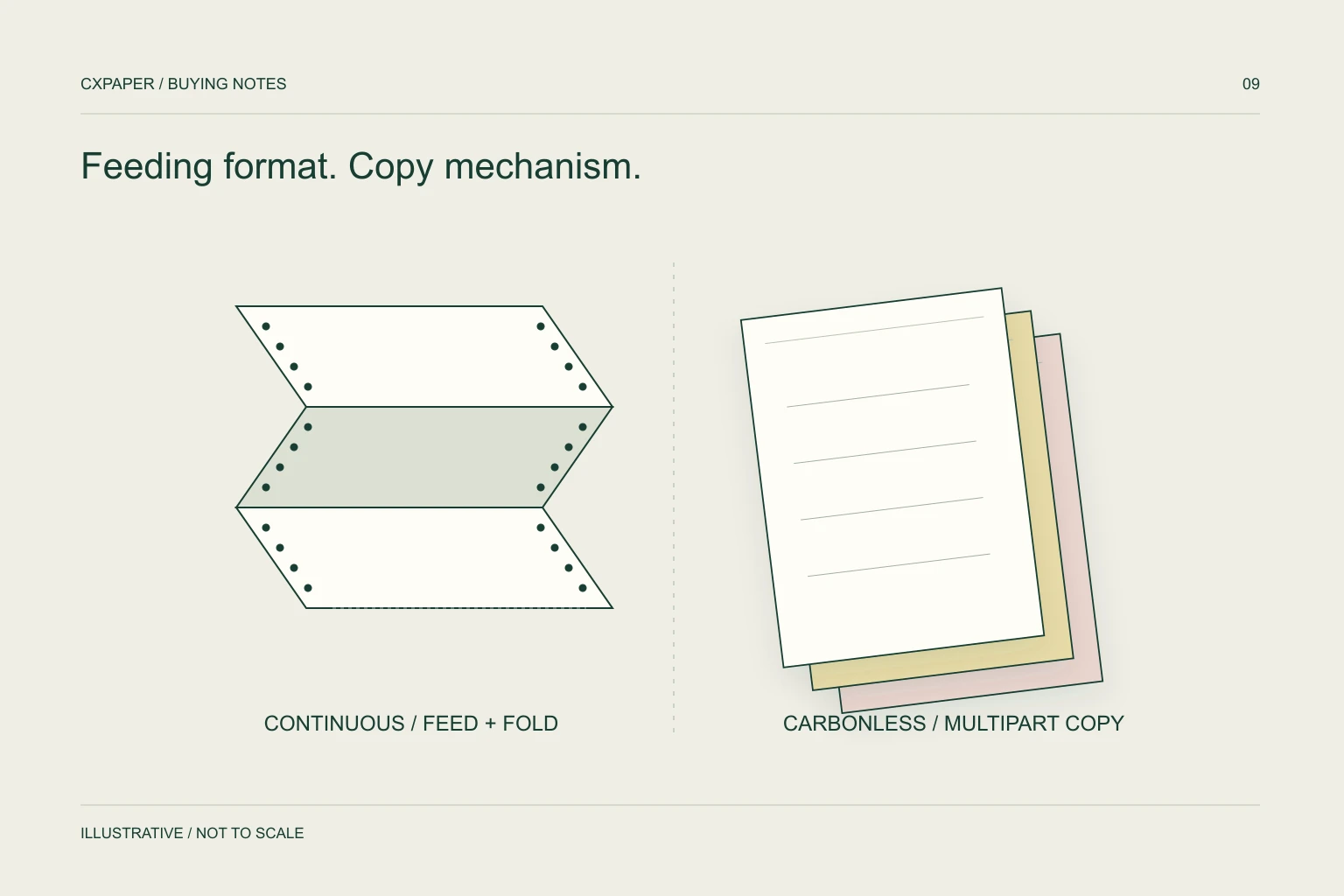
Carbonless paper describes a pressure-copy construction. Continuous paper describes a connected feeding format, often used with tractor-fed printers. A form can be both carbonless and continuous, but either term alone leaves important details unspecified.
Use each name for the property it describes
| Term | What it describes | What it does not establish |
|---|---|---|
| Carbonless / NCR | Paper designed to create a copy through pressure and a compatible coating system | Finished size, feeding method or printer compatibility. |
| Continuous computer paper | Connected forms supplied for continuous feeding | Whether it is single-part or uses a carbonless copy system. |
| Multipart form | A set containing an original and additional parts | Exact coating sequence, joining method or maximum printer capacity. |
For purchasing, keep the questions separate: how does the document produce its copies, and how does it move through the equipment? A supplier can then identify both the required paper construction and the converted form. This prevents an order for ordinary continuous sheets when the workflow actually needs copies underneath.
Understand a conventional carbonless set
A conventional carbonless set uses coordinated coatings. The top sheet is CB, meaning coated back; a middle sheet is CFB, coated front and back; the bottom sheet is CF, coated front. Pressure enables the copying interaction between adjacent coated surfaces. Koehler’s reacto product information describes this multi-sheet arrangement and also identifies self-contained constructions as a separate option. See Koehler’s carbonless paper explanation.
This is a description of how such systems work, not a statement that every combination is stocked by CXPAPER. In the buying brief, state the required number of parts, sheet order and writing or printing method. Let the proposed construction address those needs.
Keep the set sequence intact during sample review. Reversing a sheet or replacing an internal sheet with an unrelated paper can break the copying path even though the form still feeds.
Count the original separately from the copies
A three-part set contains one original plus two copies. If sales, accounts and the customer each require a document, three parts may be the intended total; if the requirement says “three copies plus the original”, four parts are needed. Name the recipients in the brief to eliminate ambiguity.
Sheet colour can help users distribute the parts, but it does not define the coating arrangement. Record each part’s colour, recipient, printed content and any numbering rule in order from top to bottom. If one department needs a different field layout, supply separate artwork for that part.
Also define the quotation unit. One thousand individual sheets and one thousand complete three-part sets represent different quantities. Ask for the number of complete usable sets per pack or carton.
Specify the continuous form as a drawing
For a tractor-fed form, include total width with feed strips, usable width after any strips are removed, form length along the feed direction, and the position of transverse or vertical perforations. Mark any subdivisions and explain which edges operators tear off. A drawing is more reliable than an unlabelled width-by-length pair.
Then identify how the parts are joined and the printer’s multipart limits. Epson’s LX-310 documentation, for example, specifies up to five parts for its supported carbonless forms and gives joining and thickness-setting instructions. That limit is model-specific; a supplier’s six-part offering would not make a six-part set suitable for that printer. Read Epson’s multipart guidance.
Keep all variable printing inside the printable area specified by the equipment manufacturer. Physical page width is not the same as usable print width.
Review the lowest copy as well as the original
- Load the complete set using the correct feed path and thickness setting.
- Print the actual document layout, including dense fields and required identifiers.
- Read every part, especially the last copy and the edges of the form.
- Check alignment between preprinted boxes and variable data over consecutive forms.
- Separate the copies and tear the intended perforations as operators will.
- Record set order, printer settings and the accepted sample reference.
When forms are completed by hand, include the normal writing instrument and writing pressure in the review. When preprinting uses another process, confirm that the selected paper grade is appropriate for that process. Generic carbonless paper should not be assumed suitable for any office laser printer.
Choose the product route, then complete the specification
Use continuous computer paper when the starting requirement is the feeding format. Use carbonless NCR paper when the starting requirement is pressure-copy documents. If the project needs both properties, state both explicitly in one enquiry.
Send the printer model, dimensioned form, part count, sheet sequence, preprint artwork and quantity in sets. Include a current sample if available and identify what should change. This makes it possible to compare proposals on the full document construction rather than on one paper name.
Questions buyers ask.
Is all continuous paper carbonless?
No. Continuous describes how forms are supplied and fed. Specify a carbonless copying requirement separately when the document needs copies beneath the original.
How many copies does a four-part set make?
Four parts normally means one original and three additional copies. Write both numbers into the brief to avoid ambiguity.
Can I run any NCR form through a laser printer?
No. Some manufacturers offer grades intended for toner-based equipment, but suitability belongs to the selected grade and process. Confirm it before use.
Why is the last copy faint?
Review the complete construction, part order, pressure or printer settings and the equipment’s multipart limit. Evaluate every required copy rather than approving from the top sheet alone.
Sources and scope.
Manufacturer references describe their own products or models. Use the instructions for your actual equipment and the agreed CXPAPER order specification.