
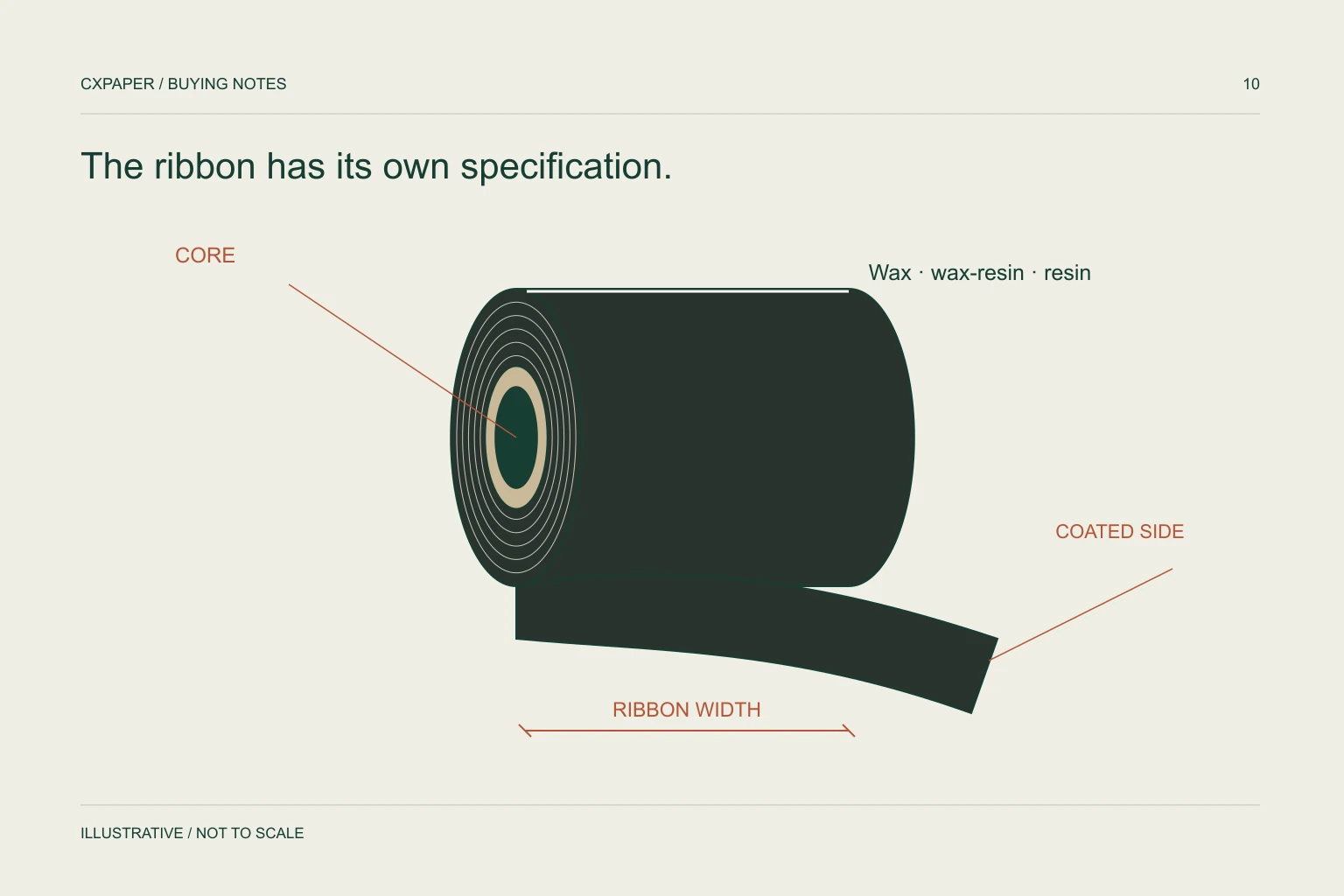
A thermal transfer ribbon must match the label face material, the printer’s mechanical requirements and the required image durability. Wax, wax/resin and resin describe formulation families; width, length, core, coated side and winding describe fit. Approve the complete printer–label–ribbon combination.
Confirm that the job uses thermal transfer
Direct thermal printing uses heat-sensitive media without a ribbon. Thermal transfer printing uses a coated ribbon to form the image on suitable media. A printer’s overall size or brand name does not establish which method a particular configuration supports.
Record the full printer model, its print method, resolution and normal print speed. Include the current label material reference and, if available, the ribbon packaging or product code. These details are more useful than a request for “black ribbon” or a photograph of an unlabelled roll.
The printing-method guide explains the distinction when you are building a new labelling workflow rather than replacing a known consumable.
Use the formulation family as a starting point
| Family | Typical starting point | Questions to resolve |
|---|---|---|
| Wax | Compatible paper labels in relatively mild handling conditions | Will normal rubbing or contact damage the required image? |
| Wax/resin | Selected paper and matte synthetic materials | Which surfaces and resistance requirements does the proposed grade cover? |
| Resin | Compatible synthetic materials and more demanding image-resistance needs | Is the grade matched to the face material and printer settings? |
Zebra distinguishes these three families by material compatibility and required resistance. Its guidance is useful for narrowing a request; it does not mean every resin ribbon prints well on every label, or that a formulation name guarantees a particular chemical resistance. See Zebra’s ribbon overview.
Describe the exposure: routine handling, rubbing against other packs, moisture, a named cleaning agent or outdoor use. Specific conditions help the supplier propose a grade and a meaningful sample review.
Check the roll construction field by field
- Ribbon width and the total width of the label media, including liner.
- Ribbon length and maximum roll outside diameter.
- Core inner diameter, core length and any locating notches.
- Ink-coated side: inside or outside, as required by the printer.
- Winding direction, leader and take-up arrangement.
- Loose roll or cartridge construction where applicable.
Zebra’s ZD620/ZD420 documentation lists media and ribbon dimensions separately and specifies ribbon coverage across the media and liner. Use the requirements for your exact printer, including its coated-side and winding instructions. See the model-specific ribbon requirements.
A familiar width does not prove a roll fits. A longer roll can exceed the available space, and a matching core opening can still have an unsuitable core length or locating arrangement.
Evaluate samples at the intended operating settings
Use the real label stock and printer rather than judging a ribbon from its appearance. Begin with the equipment and material supplier’s recommended setup. Keep speed and darkness settings in the sample record so the result can be reproduced and compared.
Print the hardest parts of the job: small text, fine lines, dense barcodes and any rotated elements. Check whether the image has voids, spreading, smearing or inconsistent density across its width. Scan using the operation’s normal devices, and use a customer-required verification method when one is specified.
Evaluate any claimed resistance after the intended handling or exposure. A readable fresh label does not prove that the image will survive later rubbing or contact with a cleaner. Specify the acceptance result before treating a demonstration as approval.
Separate fit, printing and durability problems
| Observation | Information to provide |
|---|---|
| No image or very weak image | Print method, coated side, media reference, settings and loading photograph. |
| Diagonal blank lines | Ribbon path, tension setup and a photograph of the printed result. |
| Image rubs off | Label and ribbon references, handling method and time after printing. |
| Good image but unreadable barcode | Actual artwork, print resolution, dimensions and scan conditions. |
These observations are starting points for diagnosis, not automatic causes. Change one factor at a time and keep the original settings recorded. Raising heat without checking the material match can obscure the issue and is not a substitute for the manufacturer’s setup instructions.
Keep the approved combination together
Record the printer model, label construction and ribbon reference under the same approved specification. Include formulation, colour, width, length, core and coated side on the quotation. Ask how substitutions will be handled so an equivalent-looking roll does not silently change the print system.
For cost comparison, align the grade and usable ribbon length as well as carton quantity. An attractive price per roll is difficult to assess when the lengths or suitability differ. Include any start-up and changeover requirements in your own operating evaluation rather than assuming every metre becomes a usable printed label.
Send this information through the ribbon product route, with the corresponding label specification.
Questions buyers ask.
Is resin always the best ribbon?
It is a formulation direction for particular durability and material requirements. The appropriate grade depends on the label surface, printer and use; more resin does not establish universal compatibility.
Should ribbon width match the printed image width?
Check the full media width, including the liner, and follow the printer’s coverage requirement. Matching only the image can leave part of the printhead unprotected.
Can I use a longer ribbon to reduce changes?
Only if the printer supports its length, diameter, core and winding. A longer roll of the same width may not fit the supply mechanism.
What is the most useful replacement reference?
Provide the current ribbon code or packaging plus printer model and label material. Add measured construction details when the existing reference cannot be identified.
Sources and scope.
Manufacturer references describe their own products or models. Use the instructions for your actual equipment and the agreed CXPAPER order specification.