
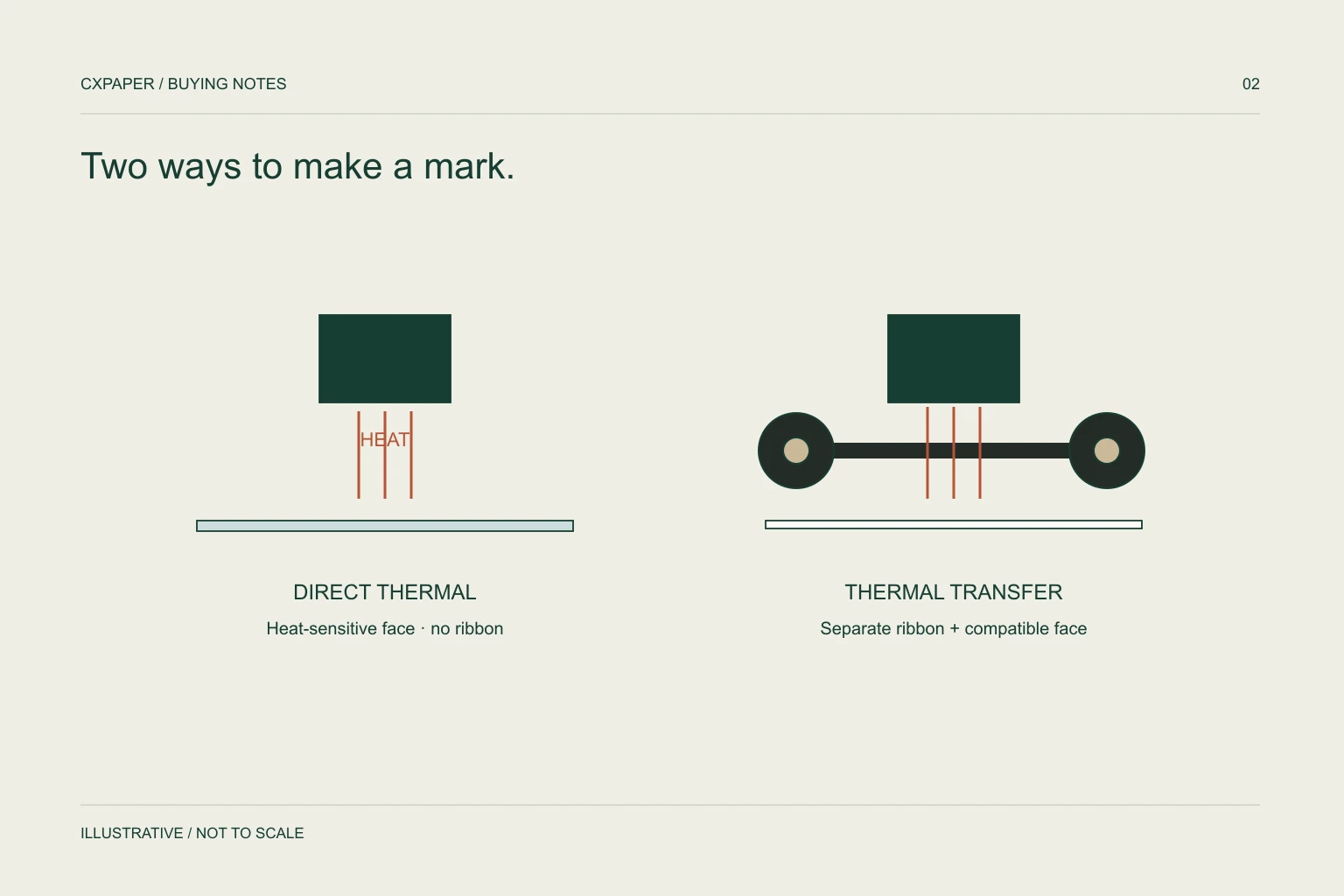
Direct thermal printing forms the image on heat-sensitive media without a ribbon. Thermal transfer printing uses a ribbon to transfer the image onto compatible media. Choose the method supported by your printer, then evaluate the label construction for its actual use.
Start with the method, not the label size.
| Decision | Direct thermal | Thermal transfer |
|---|---|---|
| How the image forms | Heat acts on thermal media. | Heat transfers the ribbon image to the media. |
| Ribbon | No ribbon for this method. | A compatible ribbon is needed. |
| Printer check | Confirm direct thermal media requirements. | Confirm media and ribbon requirements. |
| Buying brief | Include material, dimensions and application conditions. | Include media, ribbon type and application conditions. |
Some printers support more than one method, while others do not. Check the exact model and its configuration. A label that physically fits is not automatically the correct print medium.
Describe the journey the label will take.
Printing is only one part of label selection. Think through what happens after the label leaves the printer: the surface it is applied to, the time it needs to remain readable, and the environment it passes through.
- Is the surface corrugated board, film, glass or another material?
- Will the label be applied to a flat surface or around a curve?
- What temperatures apply during labelling, storage and use?
- Will the label encounter moisture, rubbing, sunlight or chemicals?
- Does the label need to remain removable or stay permanently attached?
These are questions for your product brief, not a claim that a particular label meets every condition. Ask for a construction suited to the application and evaluate it on the real surface.
Confirm the complete media format.
Keep label width and height separate from roll dimensions. A 100 × 150 mm label does not tell the supplier the core size, maximum roll diameter, winding arrangement or sensing format.
Zebra’s printer documentation lists media width, thickness, roll diameter and core requirements separately. Use the corresponding documentation for your own model, including any adapter instructions.
CXPAPER lists 100 × 150, 100 × 100, 60 × 40 and 40 × 30 mm label sizes, as well as custom dimensions. Thermal base paper and coated base paper are separate material options to review against the print method.
4 × 6 inches converts to 101.6 × 152.4 mm. It is not exactly 100 × 150 mm. Match the actual media dimensions to the required label layout.
Review the label as a complete system.
Bring together the label, the actual printer, the ribbon if required, the package surface and the expected conditions. A useful sample review should reflect the process your team will use.
Agree what your team will check before the order: print readability, barcode scanning, feeding, placement and adhesion in the intended setting. Keep the agreed sample identified with the final specification.
Start with the label paper range, or explore the logistics and ecommerce purchasing guide.
Keep label and ribbon specifications linked
For thermal transfer printing, record the proposed ribbon beside the label specification. Include ribbon width, length, core arrangement, winding and coated side, along with the printer model. A familiar formulation name is not enough to establish a match with every label and print setting.
A direct thermal label removes the ribbon from that print process, but it does not remove the need to specify the adhesive, liner, sensing arrangement or finished size. These details still affect feeding and how the label works on the package.
During a sample review, change one variable at a time where practical. Keep the printer settings, label reference, ribbon reference when used, package surface and observation conditions in the same record. If the result is unsatisfactory, this makes it easier to explain what was tried and what needs to change.
For a quotation, separate label quantity from ribbon quantity and use explicit units. Describe the combination to be evaluated rather than treating the two consumables as interchangeable line items. Continue with the ribbon selection guide and the adhesive selection brief for the remaining decisions.
Questions buyers ask.
Can I use a coated paper label without a ribbon?
Confirm the label’s intended print method. Coated paper should not be assumed to be direct thermal media.
Does the size alone establish compatibility?
No. Check the material, printing method, sensing format, roll diameter and core requirements as well as the finished label dimensions.
Sources and scope.
Manufacturer references describe their own products or models. Use the instructions for your actual equipment and the agreed CXPAPER order specification.