
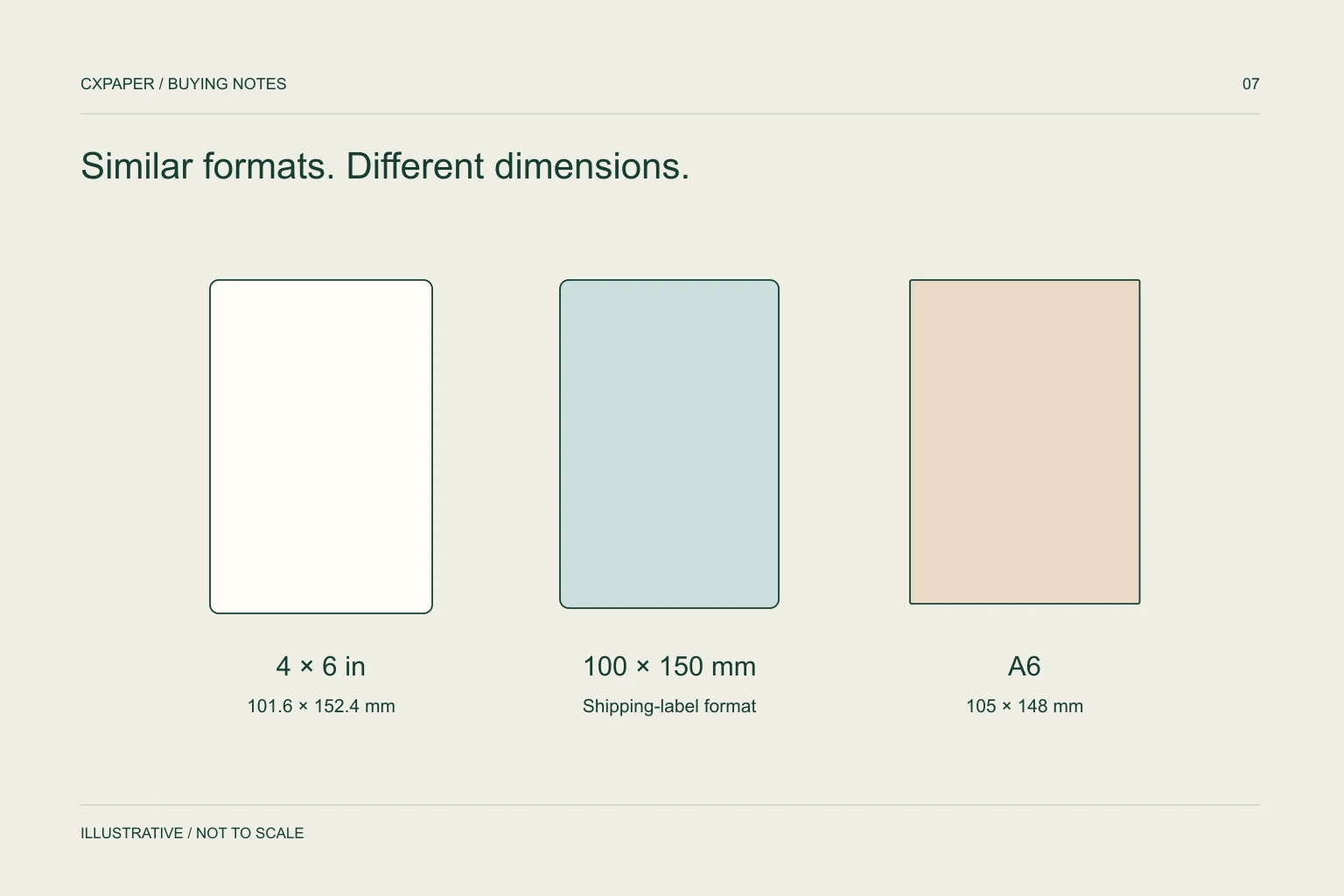
A shipping label must match the required layout, the printer and the physical media. Four by six inches is 101.6 × 152.4 mm; 100 × 150 mm and A6 at 105 × 148 mm are different sizes. Select the exact format required by the shipping workflow and verify an unscaled sample.
Compare the actual dimensions
| Name | Width × height | Difference to resolve |
|---|---|---|
| 4 × 6 inches | 101.6 × 152.4 mm | Exact inch conversion; do not round it silently. |
| 100 × 150 mm | 100 × 150 mm | 1.6 mm narrower and 2.4 mm shorter than 4 × 6. |
| A6 | 105 × 148 mm | A distinct sheet size, not another name for either format. |
“Shipping label” describes a use, not a universal size. A carrier, fulfilment platform or customer may provide a particular template. Start with that requirement and preserve its units. The arithmetic conversion is straightforward; whether a workflow accepts a substitute is a separate operational question.
Do not approve a change simply because the sample appears close enough on screen. The edge of an address block or a barcode can expose a small size mismatch after printing.
Epson’s paper-size reference lists A6 and A4 as distinct metric formats. The shipping system still determines which layout is accepted.
Distinguish label width, liner width and printable width
The adhesive label is carried on a backing liner. That liner may extend beyond its edges, so the total media width can exceed the face-label width. Meanwhile, the printer’s available print area may be narrower than the media it accepts. Record all three dimensions when close to an equipment limit.
Zebra’s ZD620/ZD420 documentation lists media width, thickness, roll diameter and core sizes as separate constraints. That is a useful specification structure, but the values apply to those machines and configurations. Check the corresponding section for your printer. See Zebra’s media requirements.
Include a simple drawing with an arrow showing the feed direction. This prevents width and label length from being reversed between the supplier, software operator and purchasing team.
Specify gaps, sensing and presentation
A 100 × 150 mm face size does not tell the printer where one label ends. Depending on the media, it may identify the next position through a gap, notch or black mark. The sensing arrangement must agree with the stock and the printer setup.
- Face-label width and length, with feed direction.
- Total liner width and the gap between labels.
- Black-mark size and position when the design uses one.
- Roll or fanfold format and labels per roll or pack.
- For rolls: core ID, maximum OD and winding orientation.
- Perforation location if operators separate labels or backing.
Use a photograph of the loaded media path as supporting information. A winding diagram is often clearer than an unqualified phrase such as “outside wound”, especially when the receiving team also needs the leading edge defined.
Match the material to the printing method
Direct thermal media forms an image without a ribbon. Thermal transfer printing needs a compatible ribbon and face material. Identical face dimensions do not make these constructions interchangeable. The printer model and print method belong in the same request as the label size.
Next describe where the label will travel: carton or mailer surface, application temperature, handling and expected reading period. Label dimensions cannot establish adhesion or image durability. A shipping label that scans at the packing desk still needs to remain attached and readable through the intended journey.
Use the print-method comparison when the current stock is uncertain. For thermal transfer, keep the ribbon reference with the approved label specification.
Print the actual template at its intended size
- Choose the media dimensions in the driver and shipping application.
- Confirm the document page size and orientation.
- Disable automatic fit-to-page scaling when the workflow requires actual-size output.
- Calibrate the media sensor according to the printer instructions.
- Print a representative label and inspect all edges, text and barcode clear areas.
- Scan with the equipment used by the operation and check any carrier or customer acceptance procedure.
Keep a copy of the template and settings with the sample. If a new roll produces a shifted image, first compare page size, sensor setup and feed direction. Enlarging the margins by guesswork can conceal the original cause while reducing usable space elsewhere.
Turn the approved layout into a purchase specification
Send the exact face size, liner size, gap or mark drawing, printer model, print method, roll/fanfold construction and required count. Add the surface being labelled and any printing or packing artwork. Quote quantities as individual labels, rolls or packs with the conversion stated.
CXPAPER’s label information includes 100 × 150 mm alongside other sizes; that listing does not establish suitability for every carrier template. Review the label paper range and send the actual layout or a dimensioned sample. For repeated shipments, use one versioned specification so a template change is reviewed before the next production order.
Questions buyers ask.
Is 100 × 150 mm the same as 4 × 6 inches?
No. Four by six inches equals 101.6 × 152.4 mm. Confirm whether the shipping system permits another size instead of silently scaling the layout.
Is A6 a universal shipping-label format?
No. A6 is 105 × 148 mm. Use the exact format specified by the shipping workflow, then confirm the printer and media match it.
Why does the printer skip labels?
Possible causes include a mismatch in gap or mark sensing, calibration or configured label length. Follow the printer’s troubleshooting procedure before changing the artwork.
Should I choose rolls or fanfold labels?
Check the printer’s supported loading arrangements and the packing station’s space and handling needs. Face size alone does not determine which presentation works.
Sources and scope.
Manufacturer references describe their own products or models. Use the instructions for your actual equipment and the agreed CXPAPER order specification.